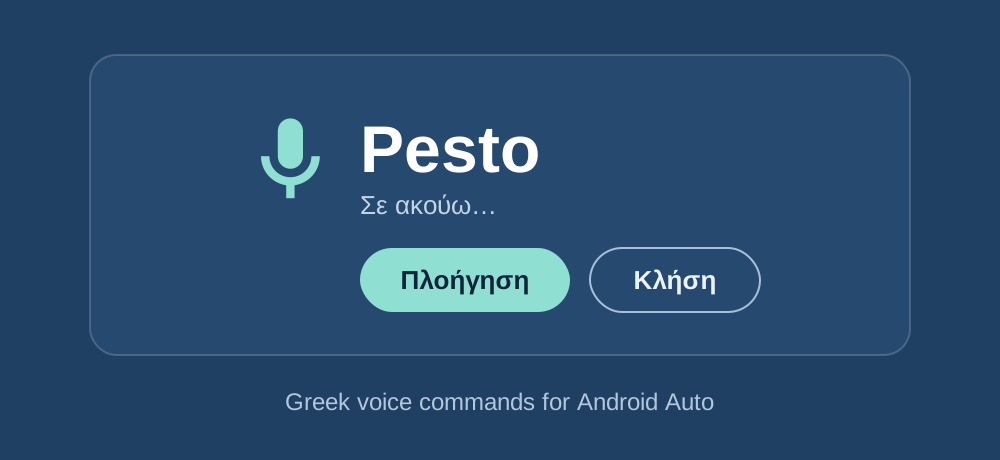
TL;DR: I can't speak Greek to my car. Google Assistant and Gemini don't support it in Android Auto, so I can't say a Greek contact name or an address while driving in Greece. I built a small Android Auto app called Mila - μίλα (mila) means "speak" - that listens in Greek and either starts navigation or places a call.
The problem
Android Auto supports a list of languages for voice commands. Greek isn't on it. In practice that means if I want to navigate somewhere while driving in Greece, I have to type it, or say the address in English and hope Maps understands what I meant. Neither works well when the road is Πανεπιστημίου (Panepistimiou).
Navigating to an address and calling a contact are the two it fails at most often for me, so those are the two things the app does.
Starting from someone else's work
There's an existing open source app that does roughly this: aa-speech-to-text. It's GPL-3.0 and it works.
I built Mila with Claude Code, and the first thing I had it do was clone that repo and read all of it - about 870 lines of Java - before writing any code of our own.
That saved me days, because it had already worked out the fiddly parts: the exact manifest declarations that make an app appear on the Android Auto launcher, the host validation that lets a sideloaded app be accepted at all, and how to hand off to Maps and the dialer.
I started fresh rather than forking - it's Java against a car app library that has moved on several versions since, and it drives everything from a spoken hot-word where I wanted two buttons on screen. What I took from it was how Android Auto behaves, not code.
Which microphone
The car app library has CarAudioRecord, which reads from the car's own microphone. But it only gives you raw audio. It does no speech-to-text at all. To get Greek text out of it I'd need to send that audio to a cloud service or bundle a speech model in the app. Both were more than I wanted for a personal tool.
The other option is Android's built-in SpeechRecognizer running on the phone, which does full Greek recognition through Google's speech service. That's what the reference app uses and what I went with.
Greek only works with a data connection. Google ships offline speech models for a long list of languages and Greek isn't one of them - my phone's list of available packs has no Greek entry at all, so the recognizer logs a failure and falls back to the network. There's no setting to change this, and it applies to any app using Android's recognizer. It's fine for me, since Maps needs data anyway.
Matching Greek names against Greeklish contacts
I say a name in Greek. The contact might be saved as "Γιώργος", "Giorgos" or "Giwrgos" - one name, George, written three ways, because Greeklish has no agreed spelling.
Both sides get reduced to the same simplified Latin form: strip accents and case, then collapse letter combinations into the sound they make, so ου becomes u and μπ becomes b. Then compare with edit distance, over the whole name and again word by word, so "Ελένη" (Eleni) on its own still matches "Ελένη Βασιλείου".
The wrinkle is that some Greeklish letters are ambiguous and can't be settled in isolation. An x is χ in "Xristos" but ξ in "Xenia"; a b is μπ in "Babis" but β in "Basilis". So rather than commit to one reading, each ambiguous letter expands into both and the best-scoring combination wins.
If one contact clearly leads, it dials. If several score close together it shows a short list instead of guessing, which matters when three people in your phone are called Δημήτρης (Dimitris).
This is the only part of the app with unit tests. It's the only part where I can be wrong in a way that's hard to notice.
Deciding when you've stopped talking
Android's recognizer takes settings for how much silence should end a phrase, but they're hints rather than controls - it endpoints on its own judgement, and it's waiting for real silence. A car is never silent. With short settings it cut me off mid-address. With long ones it could keep the microphone open for up to sixty seconds. By then I'd think it was broken and say it again, and both attempts came back as one transcript.
So the app ignores them and watches the partial results instead: when about two seconds pass with no new words, that's the end of the sentence. That's long enough for the pause between a street name and a number, and short enough to feel immediate.
"κάλεσε" (call) kept becoming "θάλασσα" (sea)
I said "κάλεσε το Δημήτρη" (kalese to Dimitri) - call Dimitris. Maps opened and started routing me to a beach bar.
The recognizer had heard "θάλασσα" - thalassa, the sea.
Two things were wrong. First, Navigate is the default mode, and I'd assumed people would tap the right button before speaking. They don't, and the verb already says what they want. So now an opening verb decides the action regardless of which button is selected - κάλεσε, πάρε and τηλεφώνησε all place a call, πήγαινε and πλοήγηση start navigation - and the verb and its article are stripped off before matching, so it searches for "Δημήτρη" (Dimitri) and not the whole sentence.
Second, "κάλεσε" and "θάλασσα" do sound similar: KA-le-se and THA-la-sa, three syllables, stress on the first, mostly the same vowels. I can't make Google hear better, but the app was already asking the recognizer for three alternative transcriptions and using only the first. The right word was often in the second or third.
Now all three are used. The action comes from the first alternative that starts with a real command verb, and contact matching scores every alternative and keeps each contact's best result. A name mangled in the top transcription can still be found in another one.
After that it worked: I said the name, and it showed me the three Δημήτρηδες (Dimitrides, the plural of Dimitris) in my phone to choose from.
Getting it onto a car screen
You can test all of this without a car. Google ships a Desktop Head Unit emulator that shows the car screen in a window on your laptop while the phone does the actual work.
Getting a sideloaded app to appear takes a few steps that aren't obvious. Android Auto has its own developer mode, separate from the phone's - you unlock it by tapping the version number in Android Auto's settings ten times. Then you have to turn on "Unknown sources", because Android Auto hides anything that didn't come from the Play Store. Then start the head unit server from the same menu.
If you try this, stop the head unit server before you drive anywhere. Android Auto projects one session at a time, and a server left running keeps the phone busy serving an emulator that isn't there any more.
What worked and what didn't
The app worked on Android Auto's desktop emulator from early on: it appears on the launcher, starts listening in Greek on its own, matches contacts, and hands off to Maps.
It didn't appear in my car, and it took me two days to find out why. On my car, every app Android Auto listed had been installed by the Play Store. The sideloaded ones weren't rejected with an error. Android Auto just didn't list them. The "Unknown sources" developer setting didn't change that. Neither did faking the installer name with adb install -i com.android.vending, adding a second app category, clearing Android Auto's data, re-pairing the car, checking battery restrictions, or switching between wireless and cable.
Two tests settled it. Sideloading a different, known-working car app onto the same phone produced exactly the same silence, which ruled out my code. And every app my car does show turned out to have been installed by Play.
Downgrading Android Auto didn't help either. 15.4 installed fine, but my car refused the connection with a security-check error, so I never got far enough to find out whether it would have shown the app.
What fixed it was publishing to a Google Play internal testing track (private, with no public listing) and installing from the tester link. It appeared straight away.
The emulator doesn't check any of this, which is why the app worked there and not in my car.
What the first drive changed
I changed three things after the first drive.
I said "πάρε τηλέφωνο το Δημήτρη". It correctly took πάρε as a call, but only stripped that one word, so it searched my contacts for "τηλέφωνο του δημήτρη" and found nobody. Greek command phrases run longer than one word, so it now drops the whole phrase. Writing the test for it turned up a second bug: the genitive articles were missing from the strip list, and because normalising a word folds final sigma, "της" and "τους" had never matched anything either.
I have several Δημήτρηδες and one of them is who I actually ring. Saying just the first name showed the pick list every time. Contacts starred as favourites now get a small boost. It's enough to dial them straight away when several people match equally well, but not enough to win when I name someone else, so I can still call the other Δημήτρηδες.
If it didn't hear me, I had to tap the screen to retry, which I don't want to do while driving. Now the microphone reopens by itself, twice, then stops so a noisy car can't leave it listening forever. The pick list has a row that goes straight back to listening, instead of going back and then finding the retry button.
Where it is now
The app opens on the car screen, starts listening straight away, and understands Greek. Navigation and calling both work. It's built as a single Kotlin module with no backend, no analytics and no dependencies beyond the Android libraries.
Every version is built by GitHub Actions and attached to a release, so there's always an APK to grab. For the car it has to come from Play, so new builds go to the internal testing track instead and arrive on the phone as an ordinary app update.
Almost all of the work turned out to be the Greek part - matching a name I say against a contact saved in Greeklish, and handling the words the recognizer gets wrong. The rest was ordinary Android work.
I can talk to my car in Greek now.
Greek isn't the only language missing. Android Auto supports a fixed list of languages and plenty of others aren't on it. The README has notes on what to change to fork it for another language: the recognition locale, the command words and the name matching, which is the only Greek-specific part.
The repo is on GitHub: altany/mila.
Update: it's called Pesto now
My steering wheel button opens the phone's assistant, which can open apps by name. Neither Google Assistant nor Gemini listens in Greek on my phone, so saying "Mila" normally didn't work. Assistant heard it as "Myla", "Miele" or "my". What did work was spelling it out in an English accent: "open the M-I-L-A app". That's awkward to say every time I want to call someone or start navigation, especially with people in the car.
So I renamed the app to Pesto. English speech recognition already knows the word, and it sounds the same when I say it in Greek.
That fixed the recognition and created a smaller problem in its place. A word recognition already knows is a word that already means something. Saying just "Pesto" got me either a short explanation of the sauce or a reply that it couldn't open any apps.
What I use now is "Launch Pesto". Two words, and the verb leaves no room for the sauce. "Open the Pesto app" works too, but it's longer and the article is easy to drop. I've tried "Launch Pesto" over a handful of drives and it's worked every time, which is encouraging rather than proof.
If you fork this for another language, that's the part I'd think about before the code: pick a name English speech recognition knows as a word. The assistant listens in English no matter what language the app itself works in.
Only the visible name changed. It's the same app underneath, so it arrives as a normal update, and the repo is still altany/mila.