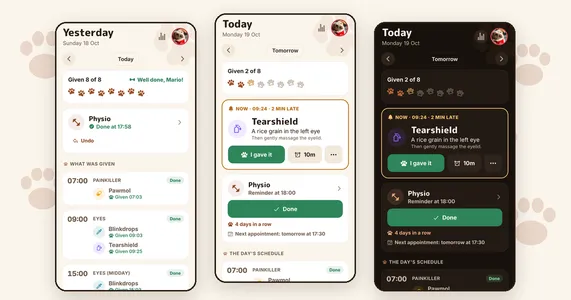
TL;DR: Mario's medication app still had problems, and every fix needed my laptop. So I rebuilt it without opening my laptop once. I asked for changes from the Claude app on my phone, and a GitHub Action got them onto the app a couple of minutes after I said "merge it". This post covers how that works, how I check changes I don't read line by line, and which parts you can reuse.
The background
If you read the last post, you've met Mario, my dog, and his eye drops. He has drops several times a day and an eye ointment 20 minutes after some of them, so the drops have time to absorb and the ointment doesn't wash them out. There's also a painkiller every 8 hours. And his medication keeps changing, so whatever I build has to be easy to change too.
Giving Mario the right medicines at the right time isn't something I can risk getting wrong. So I use my passion for programming to help me with everyday things like this, and to look after him properly.
(The medicine names in this post are made up. Let's call them Blinkdrops and Tearshield.)
Last time I fixed several bugs with Claude Code, but some problems were still there.
What was still broken
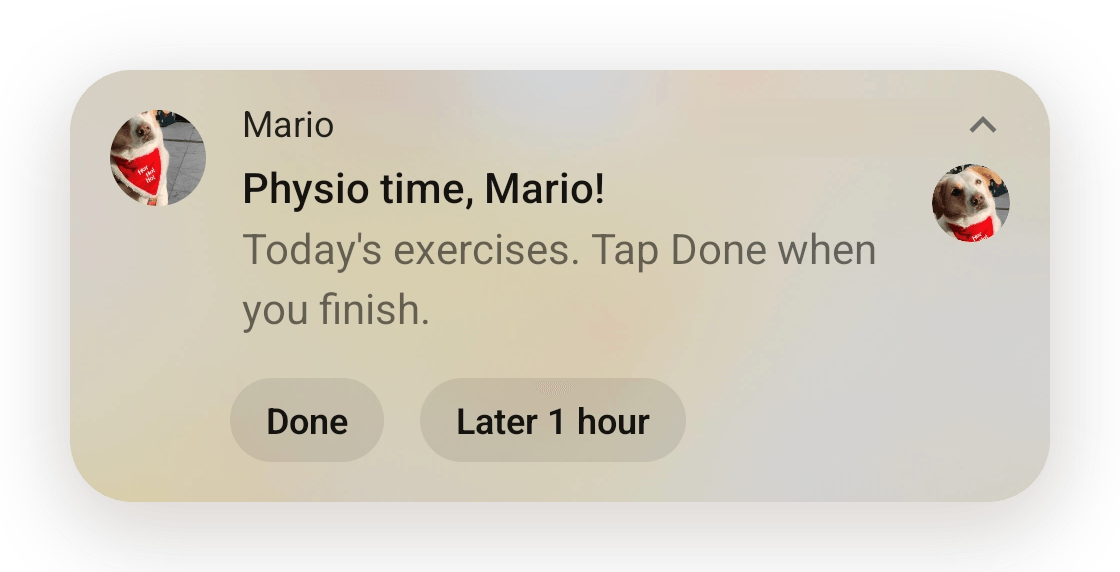
The buttons didn't work with the app closed. If I tapped "I gave it" on my Garmin watch, nothing ran, so the Tearshield reminder never came.
I also couldn't plan ahead. I could only postpone a reminder once it went off. If I'd slept in, or wanted an early night and had to start the doses early, there was no way to see when each one would be or to move them in advance. I wanted to know when each one was coming so I could plan my day around it.
And the swipe fix from last time lived in an android folder I'd patched by hand, so only my laptop could build the app. Every change, however small, ended with me at my laptop. That was the part that bothered me most.
Doing it all from my phone
So I opened a Claude Code session in the Claude app on my phone and asked for a rewrite. Same screens as before, but with notifications that stay until I answer them, chains of medicines, and easy time changes for single doses and whole chains.
The flow now is pretty simple. I ask for something, Claude makes it on a branch, runs the tests, opens a PR and sends me screenshots. I look at them on my phone and say "merge it". A couple of minutes later the app tells me there's a new version.
To get there I needed two Expo services and one GitHub Action:
- EAS Build builds the APK in the cloud and gives me a link to install it.
- EAS Update sends JavaScript changes over the air. The app downloads them by itself and shows "There's a new version" with a restart button.
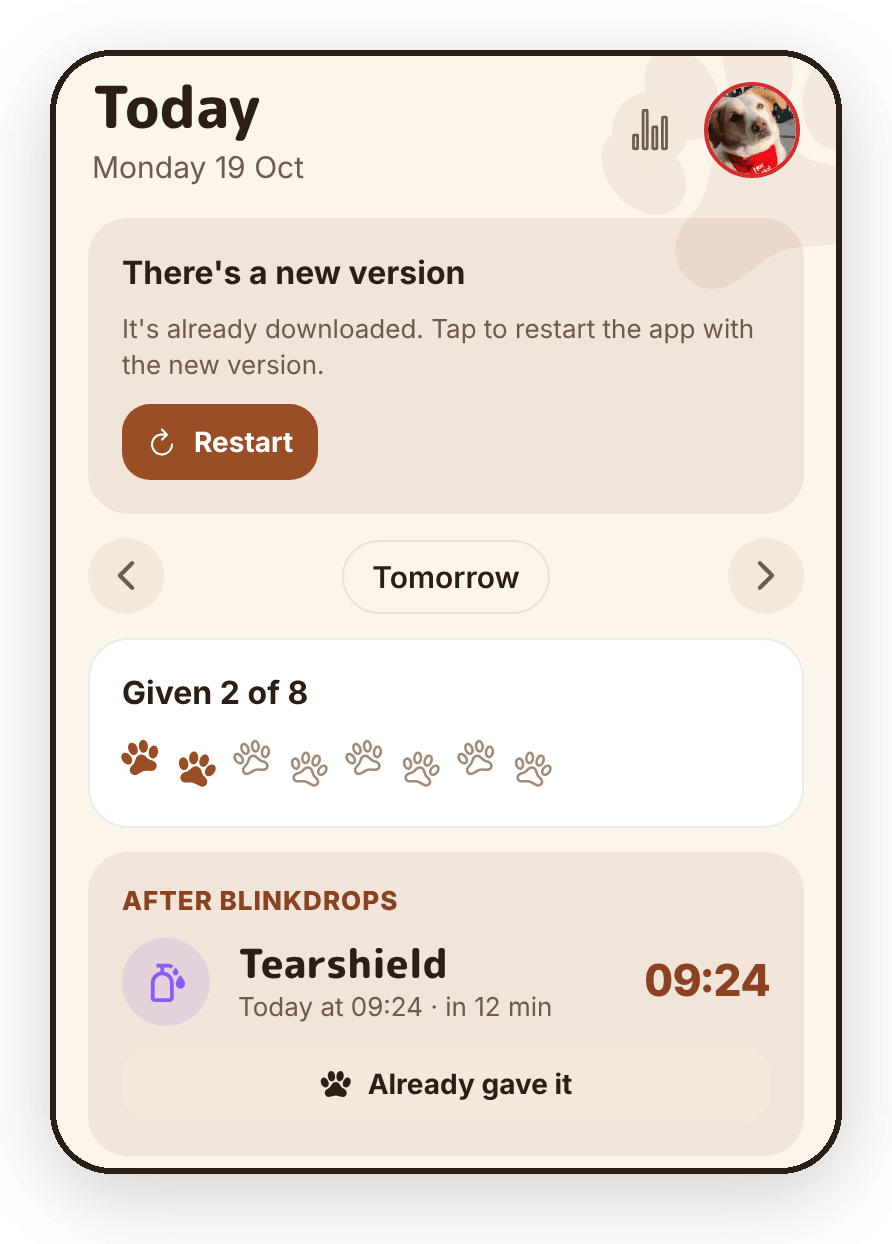
The Action runs on every merge to main and works out which of the two it needs. It takes a fingerprint of the native side of the app (native libraries, permissions, config). If there's already a build with that fingerprint, only JavaScript changed, so it publishes an update. If not, it starts a new build and puts the install link in the run summary. The app's runtime version is that same fingerprint, so an update can never land on a build that can't run it.
I've checked that updates change the code, not the data, so the day's schedule and the medicines I've already given are still there after an update.
All of this runs on Expo's free plan, and the one-time setup (an Expo access token saved as a GitHub secret) I did on my phone too.
The most useful part to reuse is the fingerprint check, because you never have to decide by hand whether a change needs a new build. It's one workflow and one script.
Checking changes without reading every line
When I work from my phone, I don't read every line of code the way I would at a desk. So the project has checks that catch mistakes.
The schedule logic is plain TypeScript with no React or notification code in it, so it's tested on its own. The notification flow has tests too, against a fake notification library. Claude can't run the app on my phone, so the tests are how a change gets checked before it reaches my phone.
It also helps that there's only one way to change the data. Every change goes through one function that saves it and then updates the reminders scheduled on the phone. So a new feature can't forget to update the alarms, and a dose can't end up with two reminders, like the duplicate notifications on snooze in the last post.
For bigger changes, I ask a second Claude session to review. Before testing the Expo SDK 57 upgrade, it reviewed the diff and the test plan. It found things the first one missed: the notification library wasn't pinned to an exact version, nothing tested installing the new version over the old one, and nothing tested a reminder overnight, when Android can delay alarms to save battery.
And for anything native there's a test copy of the app. Adding a test-build label to a PR builds "Mario TEST", a separate app that installs next to the real one, with its own data. If a change breaks something, it breaks in the test app and not in Mario's real reminders.
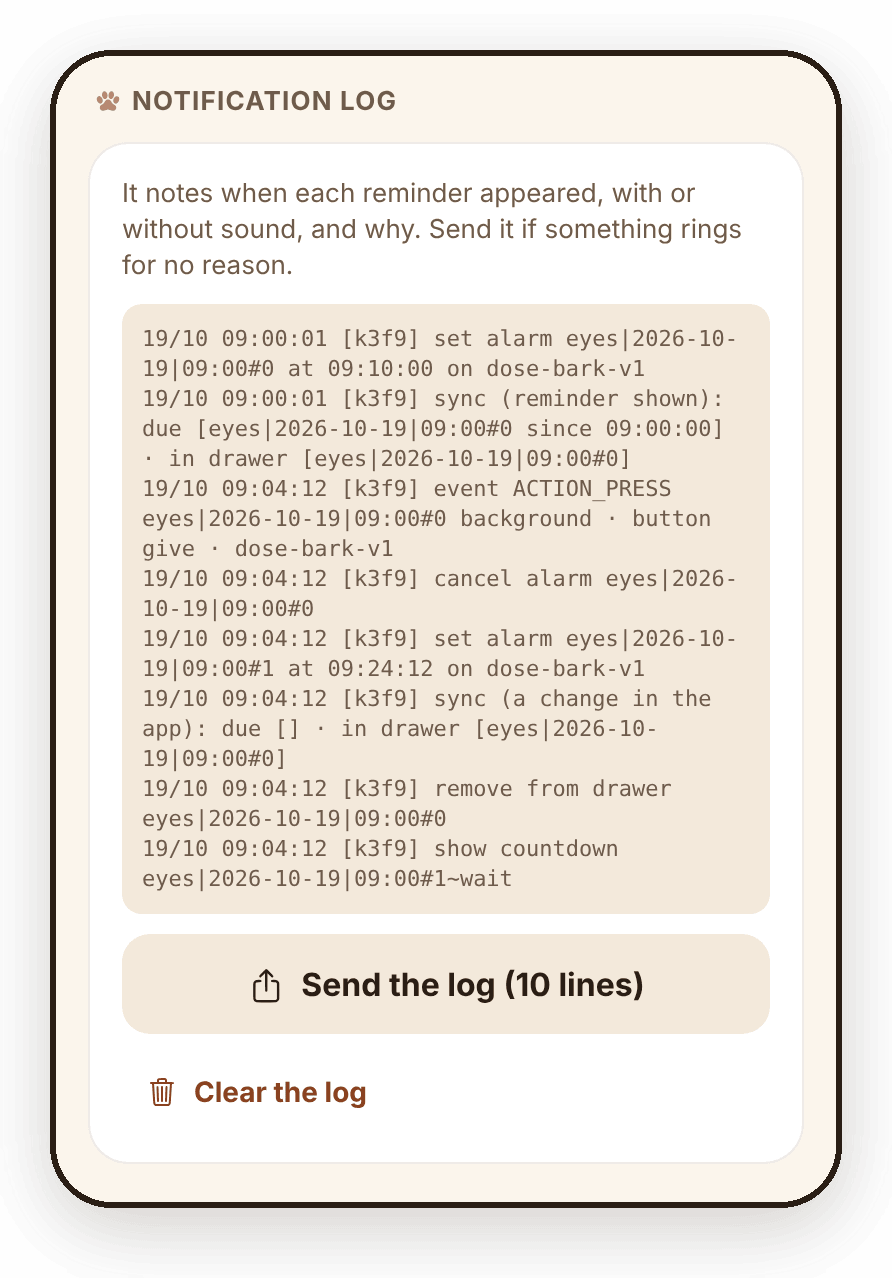
Before the SDK 57 upgrade reached the real app, I installed it over the old version in Mario TEST, without opening it, and the reminder the old version had set rang on time. At first I got the same notification twice, so I asked Claude to add a log to the app that notes every notification it shows, with or without sound, and why. With the log, Claude found what caused it.
Reminders based on when I actually gave the medicine
The schedule is made of routines. A routine is a few medicines one after the other at set times, like Blinkdrops and then Tearshield 20 minutes later, at 09:00 and 21:00.
The 20 minutes start when I tap "I gave it", not at 09:00. If I give Blinkdrops at 09:04, Tearshield rings at 09:24, with a countdown notification in between. Same with the painkiller. "Every 8 hours" means 8 hours after the dose I actually gave, so if one is an hour late, the rest of the day moves with it.
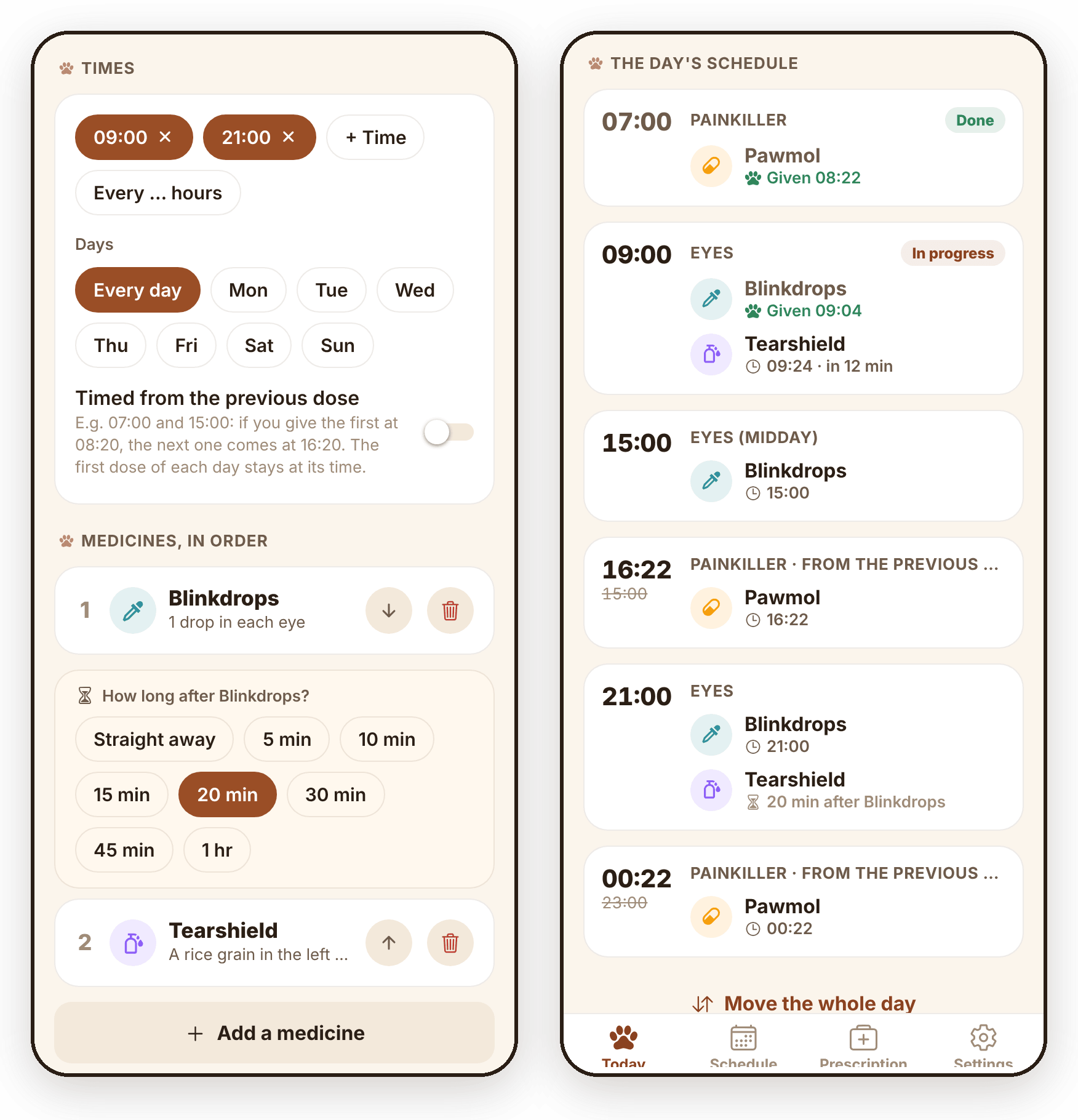
At first the app didn't do this. When I gave the painkiller late one morning, the next dose stayed at its planned time, so I sent Claude this from my phone:
I gave the 8-hour medicine at 8:22 but the next dose says 15:00. Didn't it move to 8 hours after?
Claude found the issue and fixed it remotely. After that change, the next doses move with a late one. It took two more fixes to get it fully right, and I reported both the same way, from my phone.
The app plans every dose a week ahead. So I can see my whole day in advance and move or skip one medicine, a whole chain, or the whole day. For example, an hour later because we slept in, or earlier because I want an early night.
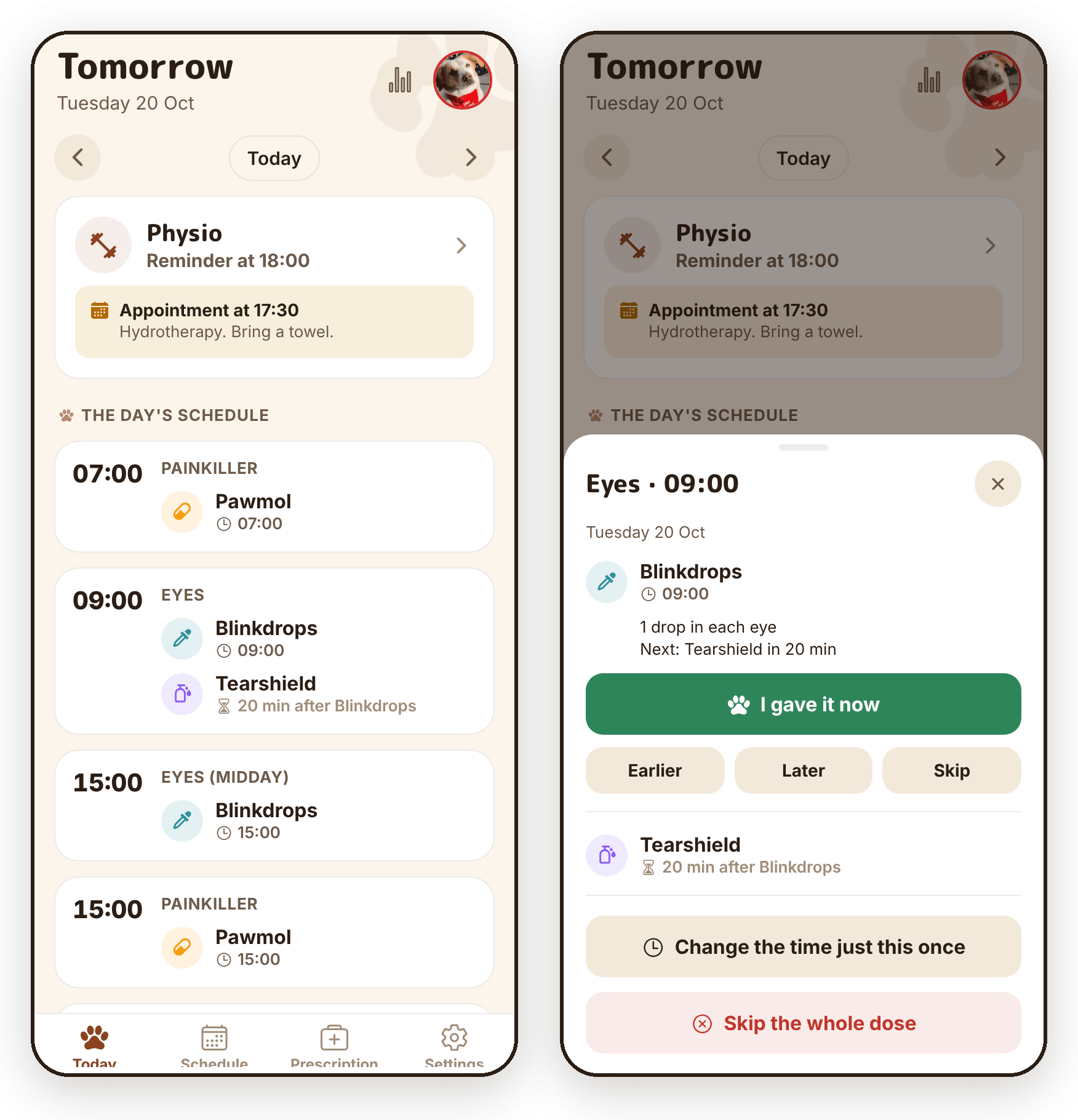
And the notifications:
- The buttons work with the app closed, on the phone and on the watch. The library runs the app's code in the background, so "I gave it" on the watch records the dose and schedules the next one.
- Plain words, because some watches don't show symbols properly: "Later 10 minutes", not "Later 10′".
- If I don't answer, it rings again every 10 minutes for an hour. If I swipe it away without answering, it comes back without sound.
- Exact alarms, so they go off on time even when the phone is idle.
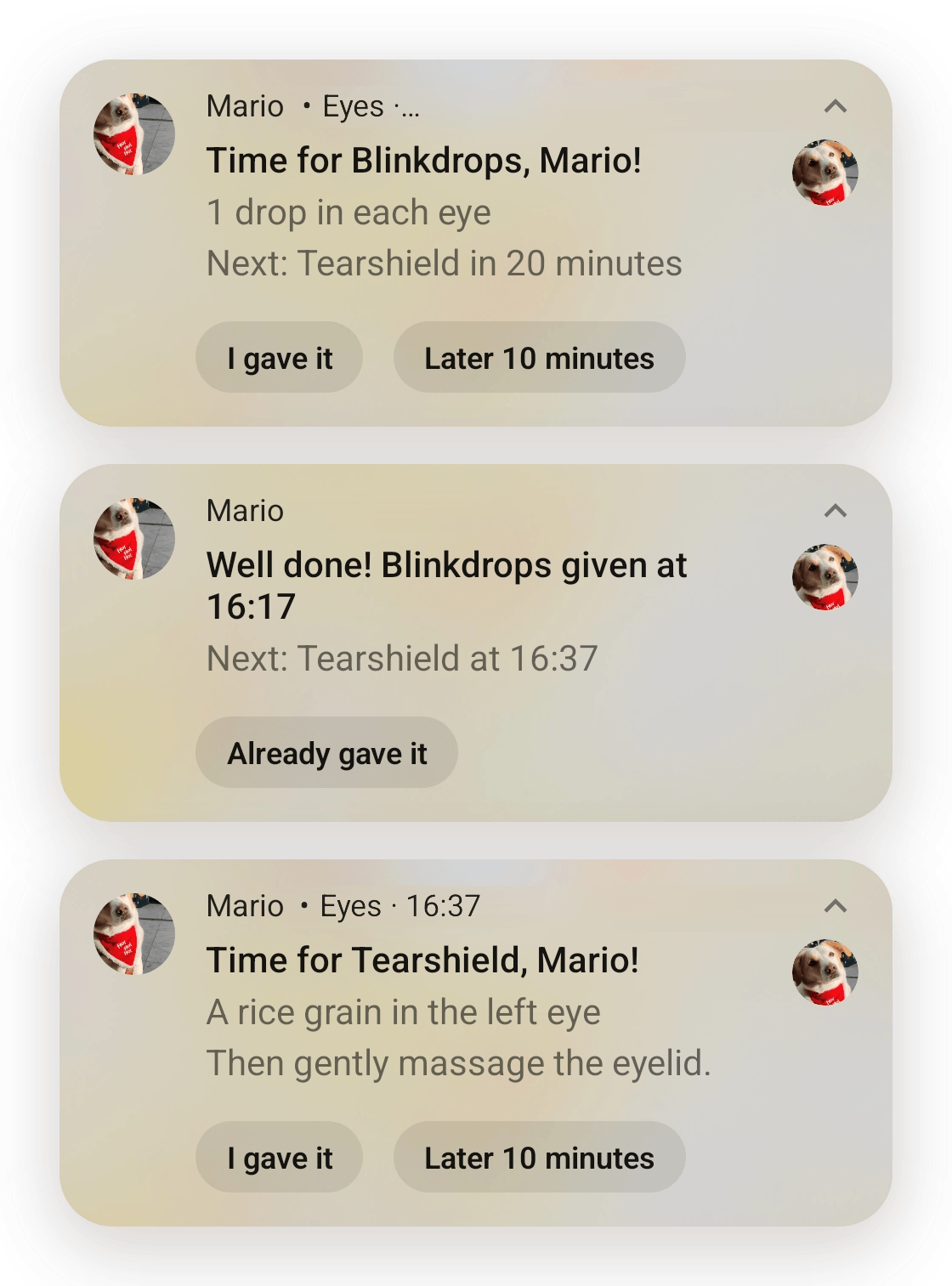
The library is react-native-notify-kit, the maintained fork of Notifee. We started on Notifee itself, but it was archived in April 2026. Expo SDK 57 needs React Native's New Architecture, and the fork supports it. The fork has the same API, so only the import changed.
An Android battery setting that can stop reminders
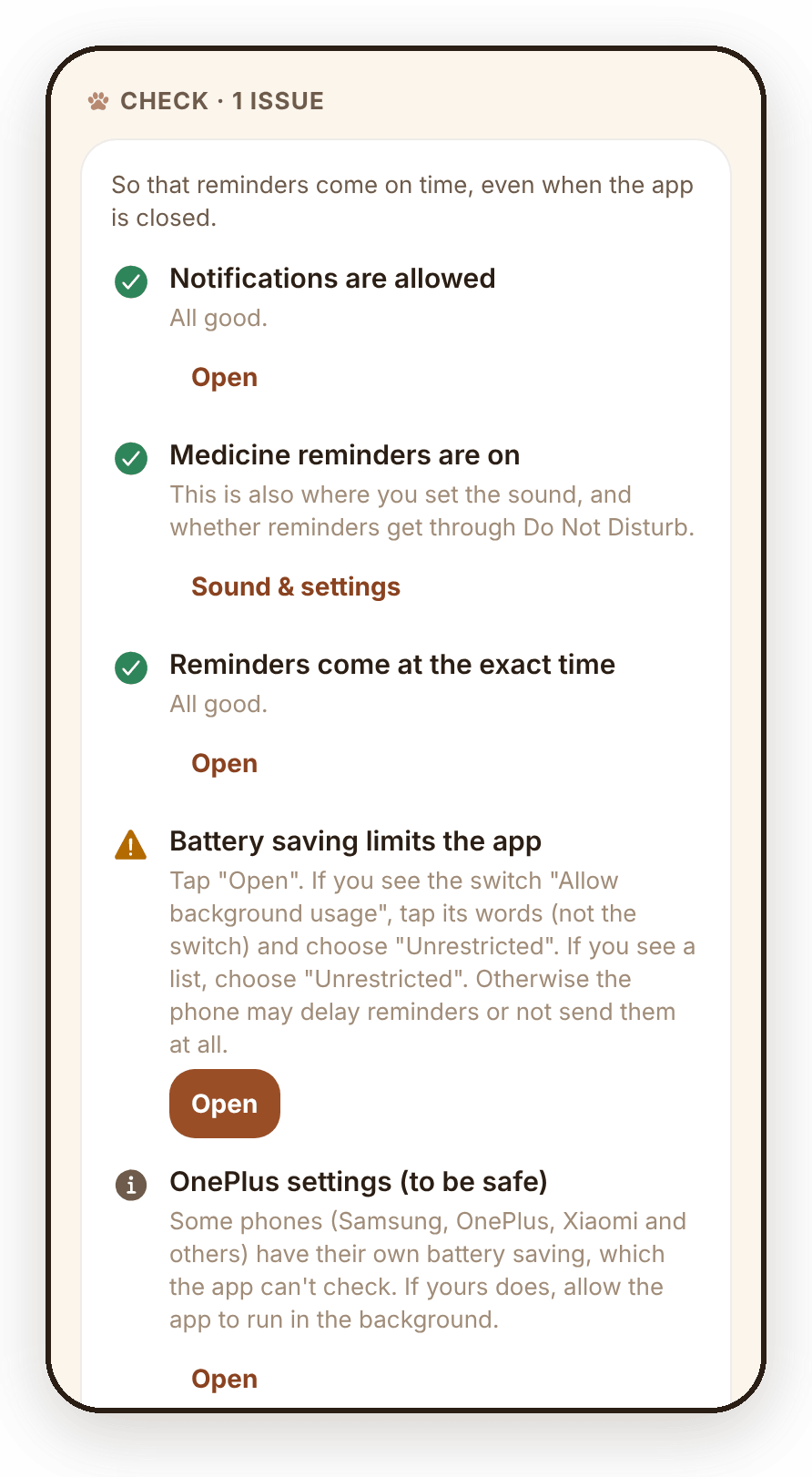
This is useful to know even if you don't build apps. On my OnePlus, "Allow background usage" was on, and reminders still came late. There, the switch isn't enough. You have to tap the words next to it, not the switch, and choose "Unrestricted". Otherwise Android may not start the app in the background, and reminders can come late or not at all.
The app can't change that setting itself. Instead, it has a checklist in the settings: notifications, exact alarms and battery, how each one is set right now, with a button that opens the right screen to fix it. The first version labelled the battery line with what it should be, so it looked like everything was fine when it wasn't. Now every line says how things actually are.
Making it Mario's
Since changes are now quick to make, I also asked for things I wouldn't have made time for before.
Can you make it dog themed?
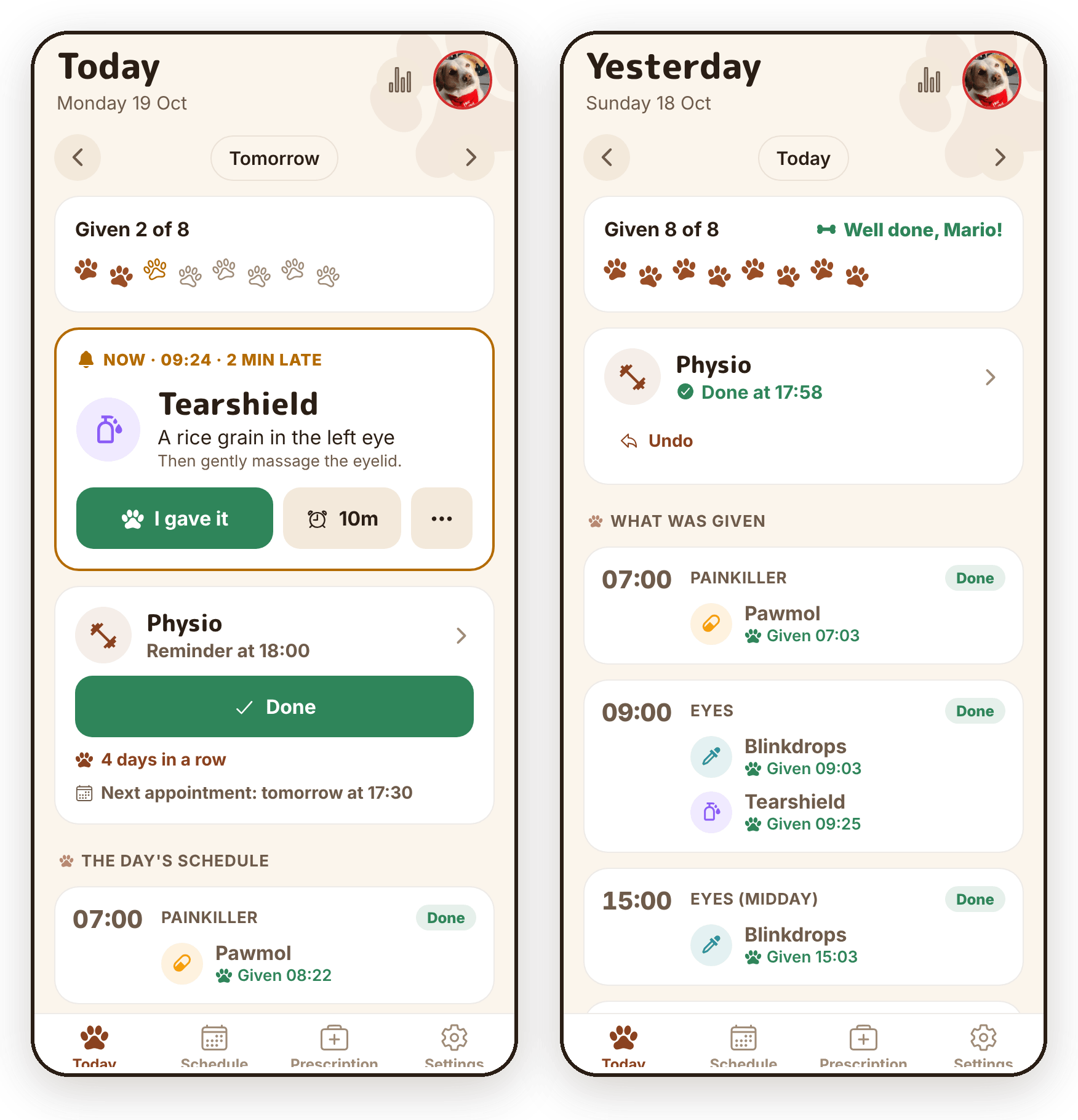
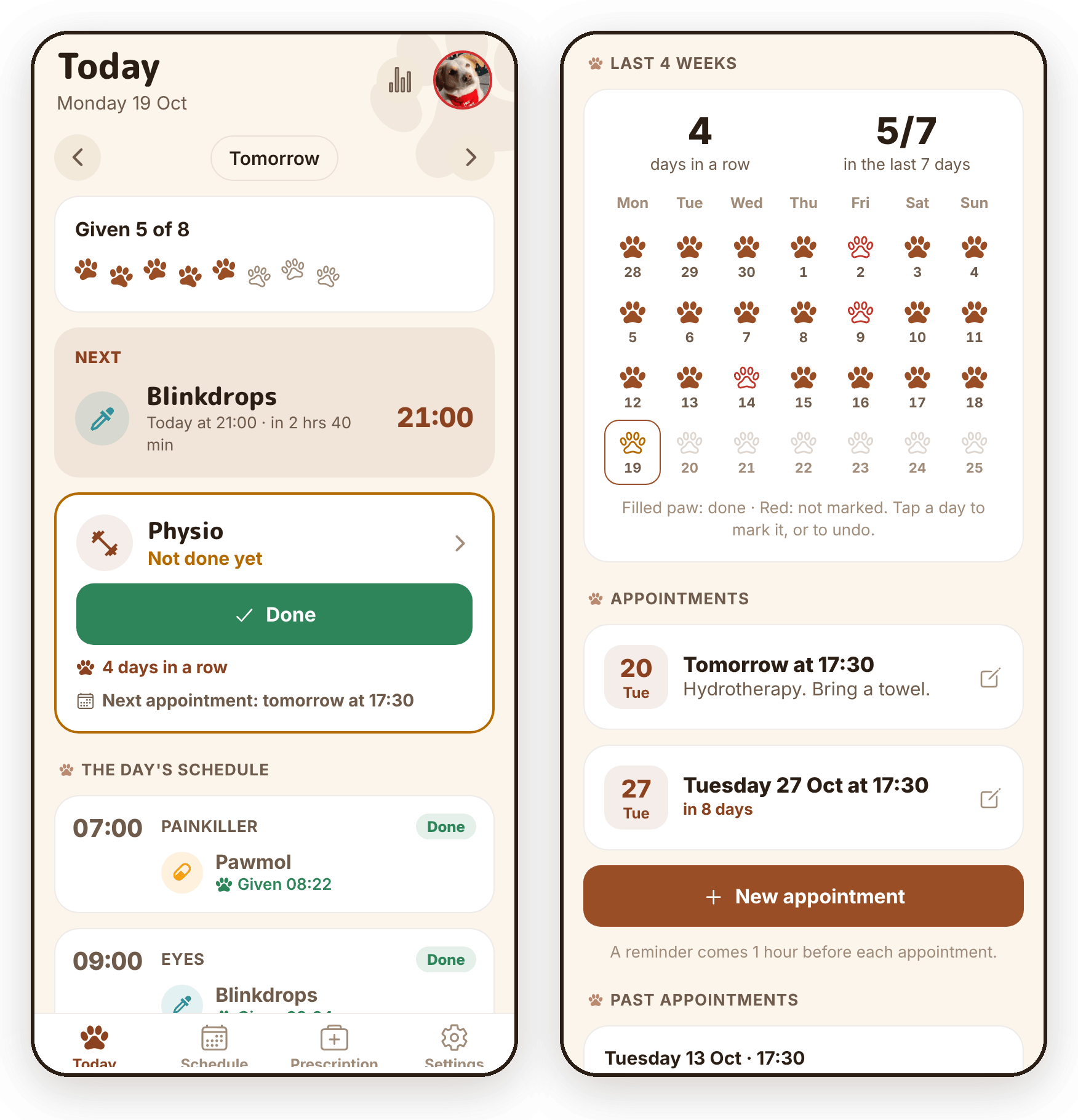
The colours now come from Mario's photo: cream for his fur, caramel for his ears and red for his bandana. Paw prints fill in as the day's doses are given, and when they're all done it says "Well done, Mario!".
I also asked for a custom sound for the reminders, and had fun generating a bark for it.
The app is in English too now, so other people can use it. It follows the phone's language. Claude writes every new text in both languages, right where it's used, so there's no separate translation file to keep up to date.
Mario's physio
Mario started physio recently, so I sent this from my phone:
Mario now does physio, please add tracking for his physio training. We might go more detailed soon (count exercises etc.) but for now I just want to ensure I do it daily and track physio appointments.
Now the Today screen has a physio card with a "Done" button, and a reminder comes if we haven't done the exercises by the evening.
The last four weeks show as paw prints, and his appointments have their own list, with a reminder an hour before.
What still isn't great
- Some changes still need an install. Anything native means a new APK: the custom sound had to be built into the Android app, and the SDK 57 upgrade changed the native libraries. It doesn't happen often, and the install link is in the run summary, but it isn't automatic. Play internal testing would fix that, and I might add it later.
- The notification library has one maintainer. I've pinned the exact version, and I'll update it on purpose.
- Claude can't test on my phone. The tests and the test app catch a lot, but whether a reminder actually rings with the app closed, I can only check on a real phone.
- Battery settings are different on every phone. The app can check them and open the right screen, but it can't change them.
Key takeaways
- The deploy setup made the biggest difference. When a change takes a message and a few minutes, I also make the small fixes I used to put off.
- Put the logic you care about somewhere it can be tested without a phone, and send risky changes through a test copy of the app first.
- Time follow-up reminders from when something actually happened, not from when it was planned.
- Describe problems the way you see them in the app. "I gave it at 8:22 but it says 15:00" was enough for Claude to make the change.
- When something odd happens on the phone, ask for a log instead of guessing.
The code is on GitHub: altany/marios-helper. If you want to reuse parts of it, start with deploy.sh for update-or-build on every merge, app.config.js for the side-by-side test app, and src/engine/ for the schedule logic and its tests.
Mario gets his medicines on time, and the app now looks like him.